

Interactive Flat Panels in Alaska: Building Smarter Classrooms and Connected Communities


Introduction
At Platinum Consulting Services, we believe that innovation should meet real-world needs, not just offer new gadgets. Our interactive flat panels in Alaska bring that belief to life by helping schools, agencies, and organizations overcome the unique challenges of distance, weather, and connectivity.
As PCS, we guide every step of the process from site assessments and installations to training and ongoing support. If your goal is to strengthen instruction, streamline collaboration, or modernize your learning spaces, explore our services page to see how our approach transforms technology planning into long-term success.
In Alaska, where geography and weather can separate even close communities, the right technology can connect classrooms and workspaces like never before. This guide offers practical insights for selecting durable equipment, managing installations, and ensuring your investment performs through every season.
Why Interactive Flat Panels Matter in Alaska
Teaching And Collaboration Across Long Distances
When a science teacher in Anchorage can co-teach with a Yup’ik language instructor in Bethel, both classrooms gain. Interactive flat panels make that collaboration possible by enabling shared lessons, annotations, and discussion in real time. In a state where travel is costly and time-consuming, this kind of connection keeps expertise within reach and learning continuous.
PCS has helped Alaska districts host professional development sessions, STEM workshops, and CTE labs using these tools. The result is stronger engagement, reduced travel, and a more consistent learning
Accessibility For Rural And Indigenous Communities
Interactive panels expand educational access for students in village schools and remote centers who might otherwise lack exposure to specialists. With high-quality touch response, clear audio, and accessible display options, learners can engage directly with instructors regardless of location. For public meetings and community events, these systems make participation inclusive, offering language support and recorded sessions for later review.
Hybrid Work And Telehealth Use Cases
Beyond classrooms, interactive flat panels in Alaska are transforming municipal offices, small businesses, and healthcare facilities. In a clinic, for example, a local nurse can connect with a specialist via secure video, annotate medical scans, and coordinate treatment plans immediately. For agencies and companies, these panels simplify hybrid meetings with built-in whiteboarding and wireless casting, keeping teams productive even when members are scattered across the state.
Environmental And Logistics Considerations
Cold Weather, Humidity, and Power Stability
Alaska’s weather can be unforgiving, and electronic equipment must be prepared to handle extreme conditions. PCS recommends displays tested for wide operating temperatures and moisture protection, combined with surge protection and power conditioning. Gradual warm-up procedures and energy-efficient designs reduce wear and extend product life, especially in areas with limited electrical capacity.
Shipping, Installation, and Wall Structure
Transporting technology across Alaska demands planning and precision. PCS coordinates shipments via barge, plane, or road, ensuring proper handling from dock to classroom. Before installation, we assess wall integrity and load-bearing strength to guarantee safety for large displays. For log or modular buildings, mobile carts and reinforced stands offer flexible and secure alternatives.
Data Privacy and Network Security
Every educational and government environment requires secure technology. PCS aligns each installation with privacy standards such as FERPA and HIPAA, implementing encryption, access control, and managed updates. For detailed best practices, review HIPAA regulations and FERPA guidance.
Key Features And Specifications To Prioritize

Screen Size and Viewing Distance
Large classrooms and meeting rooms perform best with panels between 75 and 98 inches, keeping text legible from any seat. PCS often pilots multiple screen sizes with real users before final purchase, ensuring the best fit for each environment.
Touch Accuracy and Multi-User Interaction
Low-latency, multi-touch capability lets several participants write or draw at once, encouraging collaboration. Fine stylus points and palm rejection make handwriting natural, helping teachers maintain smooth lessons without interruption.
Built-In Software and System Compatibility
Choose a platform that fits your digital ecosystem, whether Google Workspace or Microsoft 365. Built-in annotation, recording, and cloud integration tools save time and simplify lesson delivery. PCS ensures plug-and-play compatibility with your existing systems for seamless adoption.
Connectivity and Audio Performance
Reliable Ethernet connections support steady performance, while USB-C ports with power delivery minimize clutter. Wireless casting options like AirPlay, Miracast, and Chromecast foster active participation. For larger rooms, PCS adds soundbars or ceiling microphones to deliver clear, balanced audio.
Budgeting and Procurement in Alaska

Technology planning is about more than purchasing hardware. Budgeting should include mounts, carts, surge protection, staff training, and ongoing maintenance. PCS helps organizations map out complete ownership costs from day one.
Schools and agencies can take advantage of programs such as E-Rate for network readiness and the USDA ReConnect Program for expanding rural connectivity. Our team assists with funding applications and compliance to make the process efficient and transparent.
Selecting the right vendor means prioritizing Alaska-specific experience, warranty coverage, and proven training programs. Cooperative purchasing contracts also help secure reliable pricing and availability.
Deployment And Professional Development
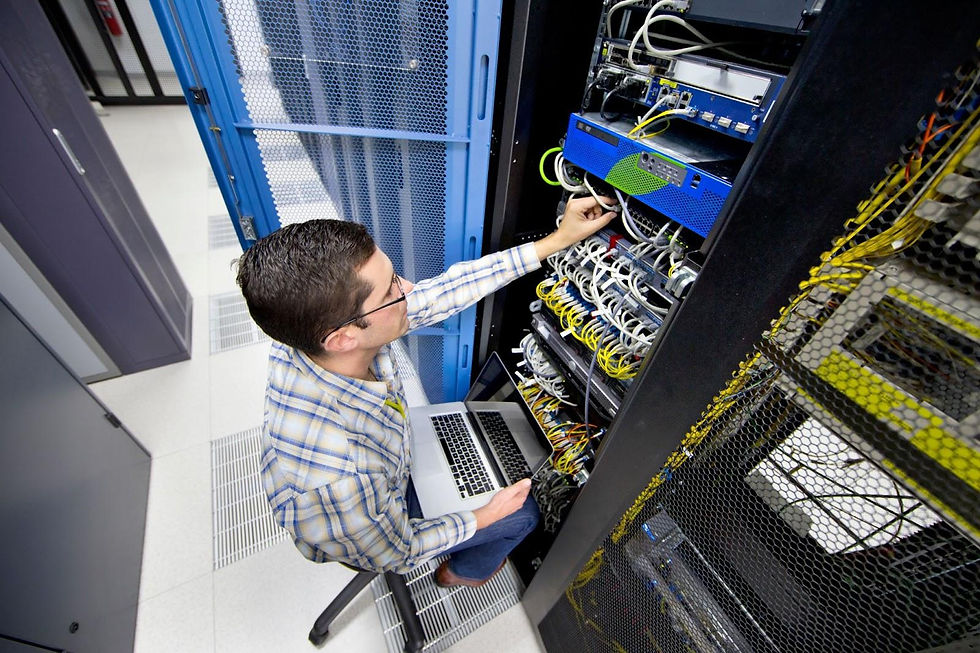
Effective implementation begins with pilot rooms that reflect real-world use. PCS conducts surveys to evaluate lighting, acoustics, wall strength, and network readiness before installation.
We deliver role-based training sessions tailored for teachers, administrators, and staff. Each session focuses on daily routines and practical examples. Follow-up coaching and on-panel tutorials help reinforce learning and build lasting confidence.
For remote communities, PCS establishes local support through spare equipment, remote diagnostics, and annual health checks. This approach ensures consistent uptime and rapid resolution when issues arise.
Real-World Applications Across Alaska
K–12 and Career Technical Education
Students and teachers benefit from real-time collaboration, interactive science labs, and small-group instruction supported by smart annotation tools. Accessories such as document cameras and charging carts enhance flexibility and learning outcomes. These systems make lessons more dynamic and allow students to engage with material visually and collaboratively.
Higher Education and Adult Learning
Universities and adult learning centers use dual-panel setups and accessibility features to engage diverse learners. Captioning, recording, and high-contrast options make instruction more inclusive and adaptable. Instructors can easily blend in-person and remote participants for a unified, interactive experience.
Municipal Agencies and Public Safety
Agencies rely on interactive panels to share maps, coordinate responses, and record briefings with clarity. Secure conferencing and annotation tools ensure that critical updates reach every department in real time. These features strengthen communication and speed up coordinated action during emergencies.
Healthcare and Telemedicine
Clinics use interactive panels for secure patient consultations, visual explanations, and remote specialist sessions. Annotating scans and sharing treatment plans directly on-screen improves understanding and decision-making. This helps rural facilities deliver high-quality care without unnecessary travel.
Business and Co-Working Environments
Businesses and co-working spaces benefit from seamless hybrid meeting tools that combine video, annotation, and collaboration. Smart cameras and wireless connectivity help teams work together efficiently from anywhere. These technologies simplify daily workflows and strengthen productivity across teams.
Conclusion

Interactive flat panels in Alaska deliver more than advanced display technology; they build stronger connections across communities. By integrating reliable hardware with practical support, PCS helps schools, agencies, and organizations operate effectively despite Alaska’s vast distances and challenging conditions.
Learn more about how PCS supports diverse sectors through Who We Serve. Explore our services and promotional products for comprehensive planning and equipment options. To see project examples and funding insights, visit our blog.
Ready to modernize your classrooms or facilities? Reach out through our contact page to schedule a free consultation and explore a custom technology plan for your organization.
Frequently Asked Questions
What are the main benefits of interactive flat panels in Alaska for schools and agencies?
Interactive flat panels in Alaska help bridge long distances by enabling real-time collaboration, annotation, and secure video conferencing. Teachers, students, and professionals can connect instantly across regions without costly travel. These systems increase participation, improve engagement, and make every learning or meeting environment more interactive and efficient.
How do I choose the right screen size for a large classroom or council chamber?
For clarity and visibility, most classrooms and meeting spaces perform best with panels between 75 and 98 inches. The text and visuals should remain legible from the farthest seat in the room. PCS often pilots multiple sizes with real users before purchase to ensure the perfect fit.
What should my technology budget include beyond the panel itself?
Plan for mounts or carts, cable management, surge protection, network connections, and audio solutions suited to room size. Training, spare accessories, and maintenance should also be included in total cost planning. PCS helps clients forecast these expenses for long-term stability and predictable ownership.
How do these systems support telehealth and hybrid work in Alaska?
Interactive panels allow medical staff and agencies to meet and collaborate through secure video platforms. Clinics can connect with specialists for remote consultations, while organizations can host hybrid meetings with real-time annotations and shared visuals. These capabilities strengthen service delivery and decision-making across Alaska’s vast geography.
Can these panels handle Alaska’s extreme weather and environmental conditions?
Yes, PCS specifies panels that are rated for wide temperature and humidity ranges, with protective features and power conditioning. Following proper warm-up and installation procedures ensures long-term reliability. These precautions protect your investment and maintain consistent performance in challenging environments.
How long do interactive flat panels typically last, and how can we extend lifespan?
Commercial-grade interactive panels generally last five to seven years depending on usage and environment. Regular updates, dust control, and power conditioning all help extend their service life. PCS also recommends energy-efficient models and annual maintenance checks for optimal durability.


Comments